Record the game from the bench.
The StatTable app is where a game gets recorded, on iPad, iPhone or MacBook: one tap per play, both teams in full, with the network off. The box score, the play-by-play, the analytics and the printed sheet all come from what you tapped.
Not on the App Store yet. Beta teams get it directly.
Every screen on this page is the app itself, showing the built-in sample game. The teams and players are made up.
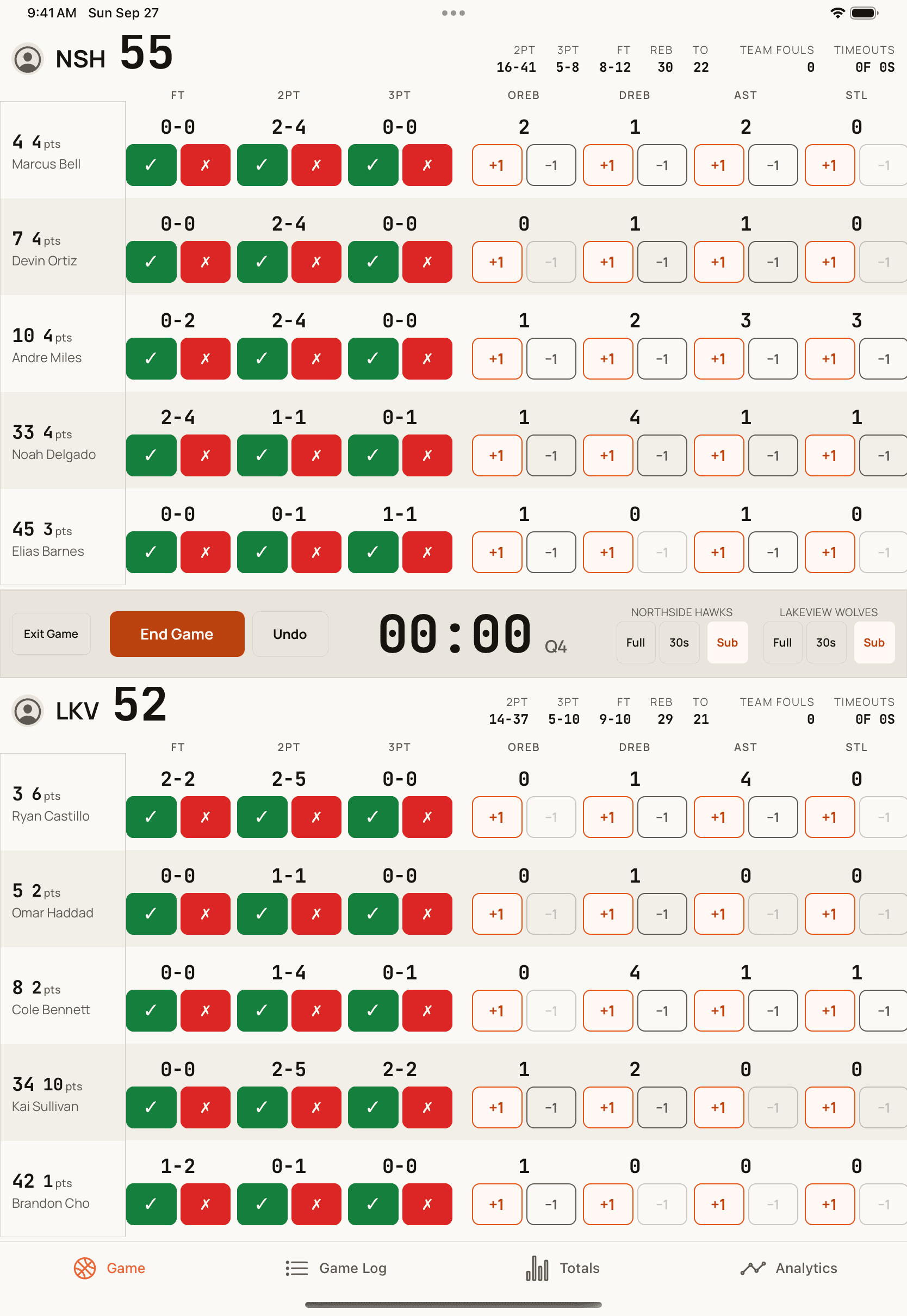
One tap is one play
Each team is a table. The row is the player, the column is the stat, and the button is the value, so there is no step where you pick a player first. A made shot, a miss, a rebound, an assist: one tap, and the score and the stat line move together.
- Both teams tracked in full, opponents included
- Free throws recorded one attempt at a time
- Team fouls, the bonus and timeouts shown as they happen
- Substitutions and minutes, for both teams or just yours
The game log is the record
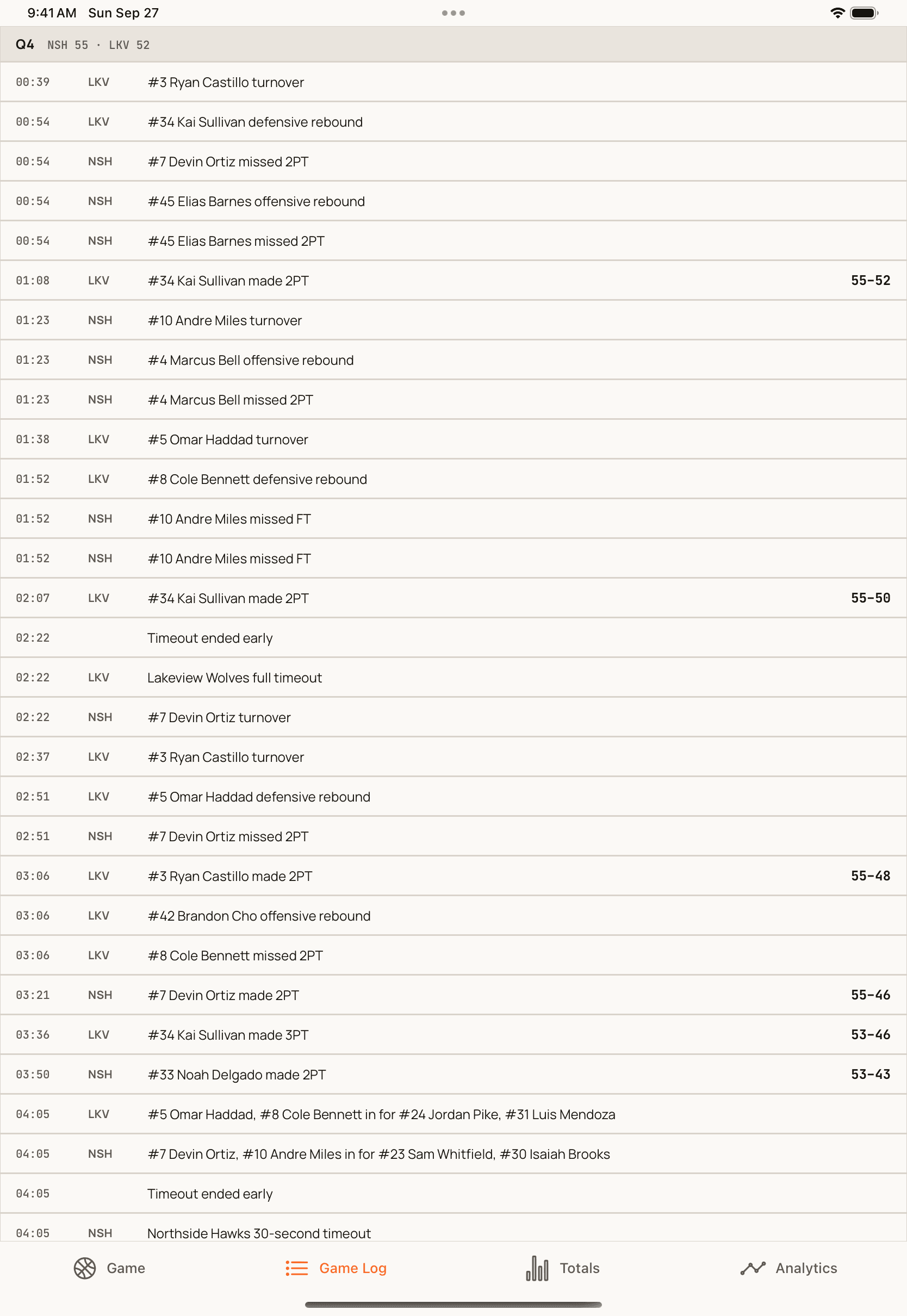
Everything you tap lands in one running log, stamped with the period and the clock, with the score beside every basket. Undo removes the last play. A correction is added to the log rather than rewriting it, and every number on every screen is recomputed from it.
- Play-by-play with the running score
- Substitutions and timeouts in the same record
- Undo that actually undoes
A box score you do not have to add up
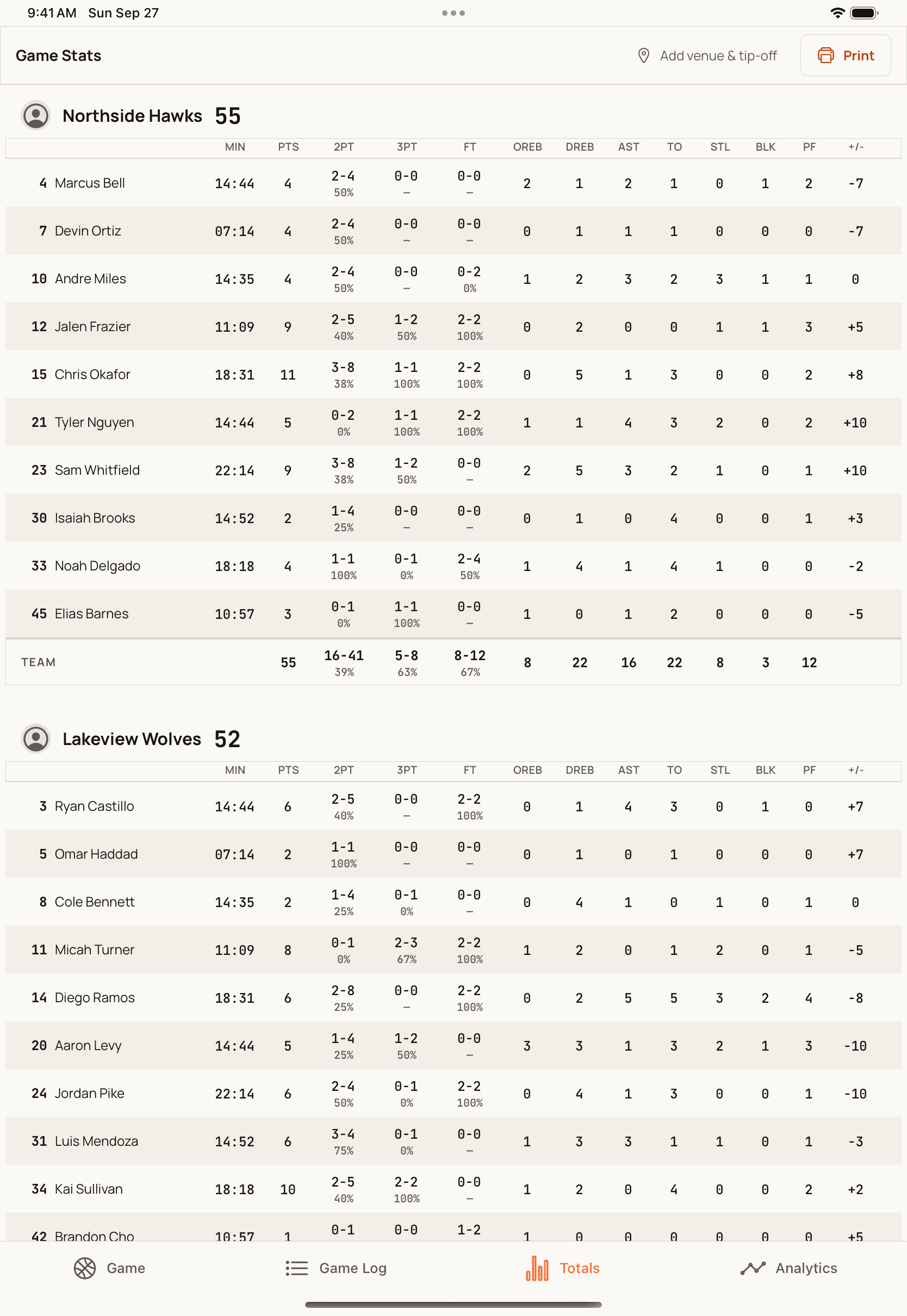
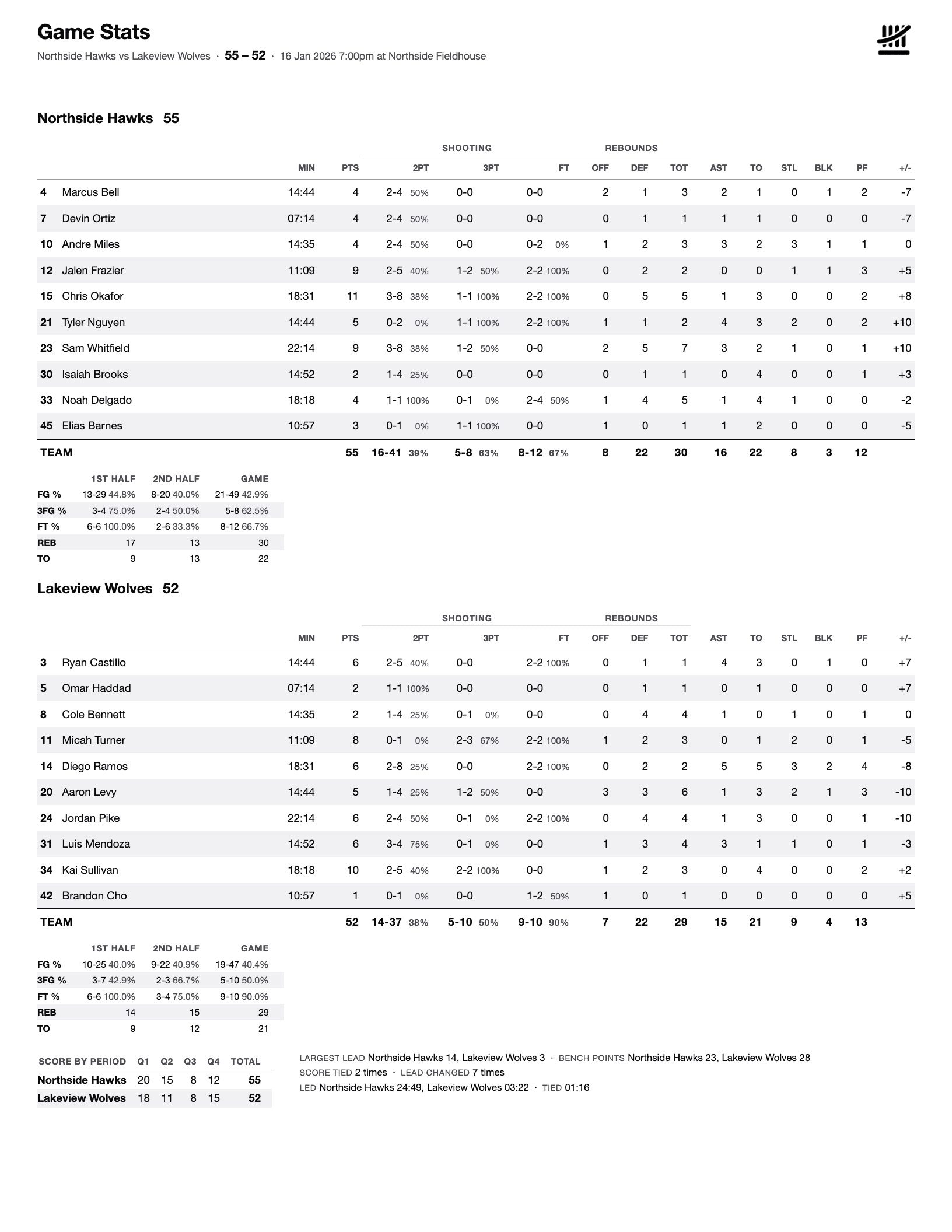
The totals screen is the full box score for both teams, player by player, folded from the log: minutes, points, shooting by type, rebounds at each end, assists, turnovers, steals, blocks, fouls and plus/minus. There is no running total to fall out of step with the plays.
- Shooting splits for twos, threes and free throws
- Minutes and plus/minus from the substitutions you recorded
- Team totals under each side
Advanced stats, explained on the page
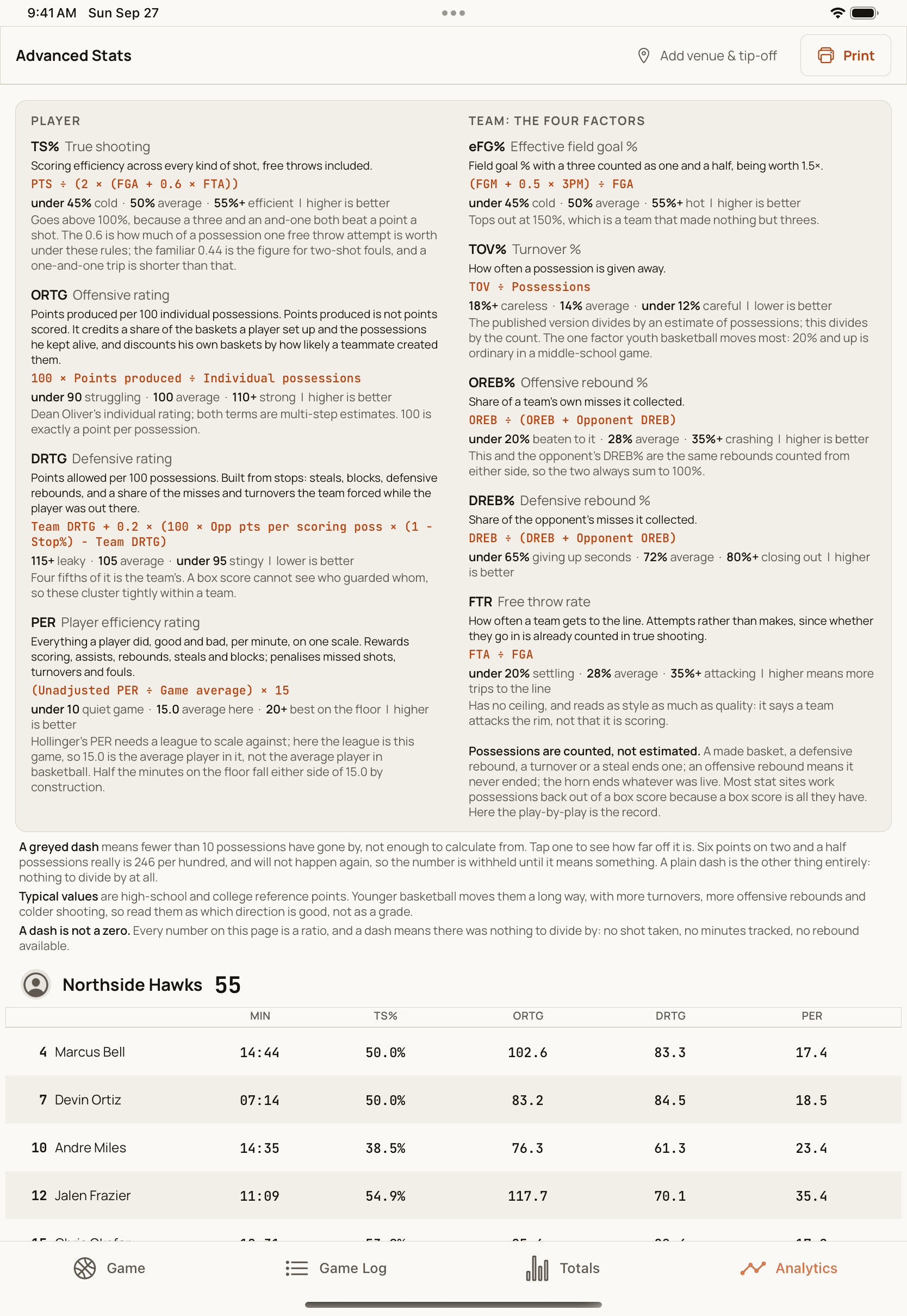
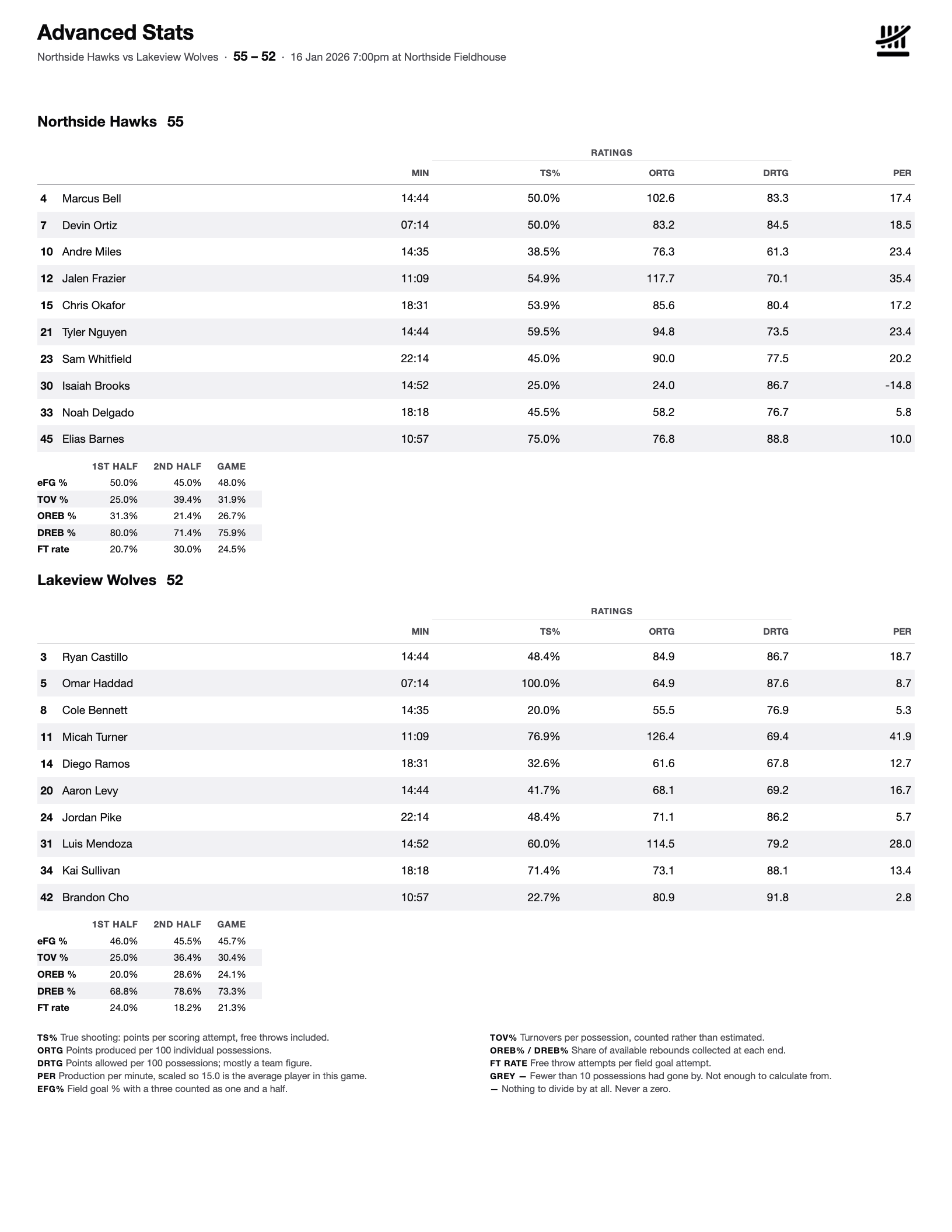
The analytics screen rates every player and both teams: true shooting, offensive and defensive rating, player efficiency, and the four factors. Possessions are counted from the log rather than estimated, and each rate comes with a plain description of what it measures and what a typical value looks like.
- TS%, ORtg, DRtg and PER for every player
- eFG%, turnover rate, rebound rates and free-throw rate for each team
- Greyed out until enough possessions have been played to mean something
Print it before you leave the gym
Send the box score or the advanced stats straight to a printer over AirPrint. Each is one letter page, laid out for paper in black and white, dated to the game, with the score by period, halves, bench points, lead changes and a key to every rate.
The gym wifi does not matter
Every play is written to the device the moment it is tapped. Offline is the normal case, and the game syncs to your team portal when there is a connection.
It survives being closed
A play is on disk before it is on screen, so a game survives the app being killed mid-fourth-quarter. Open it again and you are where you left off.
iPad, iPhone and MacBook
Seated at the scorer’s table or standing on the bench with one hand free, in portrait or landscape. A MacBook with Apple silicon runs the iPad app as it is.
Set it up on the web, record it in the app.
Rules, the schedule and rosters are set in the team portal before tip-off, so nobody configures anything with the clock running. The app picks up your schedule and records the game.